
Every asset you hold. One number.
Gold by the gram and karat, plus crypto, stocks and currencies, added up in your currency. No account. Your data stays on your devices.

Free. No subscription and no in-app purchases.
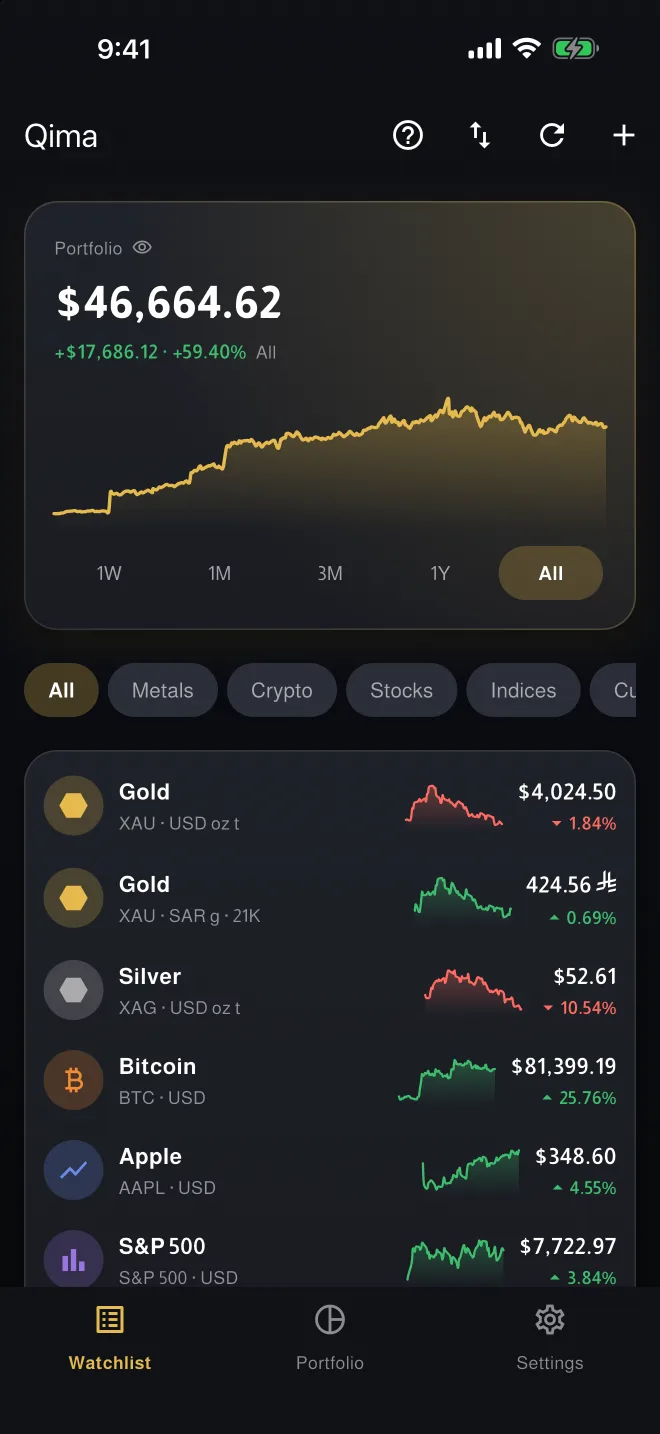
Gold by the gram, ounce or kilo
Most trackers add metals to a stock app as an afterthought. Qima starts with them: gold, silver, platinum and palladium, priced in the weight and karat you actually bought.
- Units
- Troy ounce, gram, kilogram
- Karats
- 24K 22K 21K 18K
- Ledger
- Buys, sells, transfers and fees, with value, average cost and gain
Prices come from third-party sources and may be delayed. Qima is not investment advice.
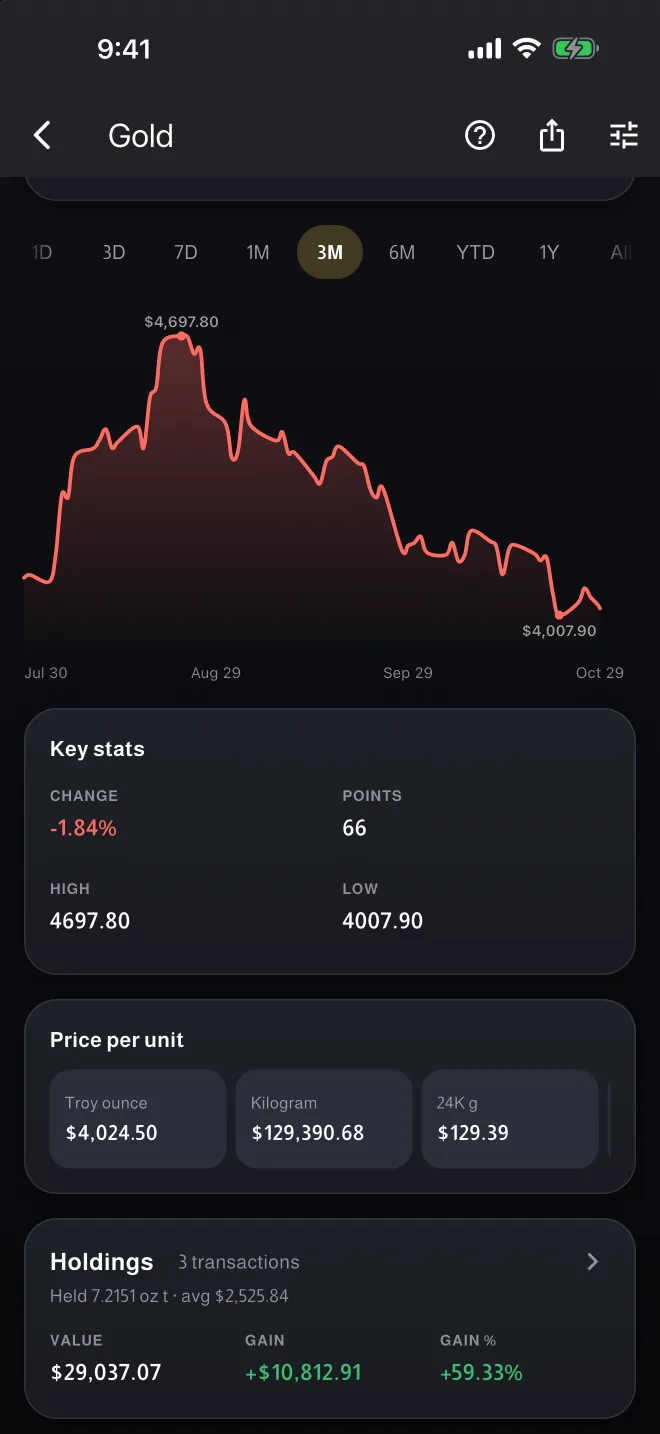
Zakat, worked out from what you hold
Qima checks your holdings against nisab at today's prices, shows what is due and reminds you when your hawl completes.
- Nisab
- 85 g of gold or 595 g of silver
- Hawl
- Hijri or Gregorian calendar, with a reminder
- What counts
- You choose, asset by asset
Qima calculates; the choices behind the calculation are yours.
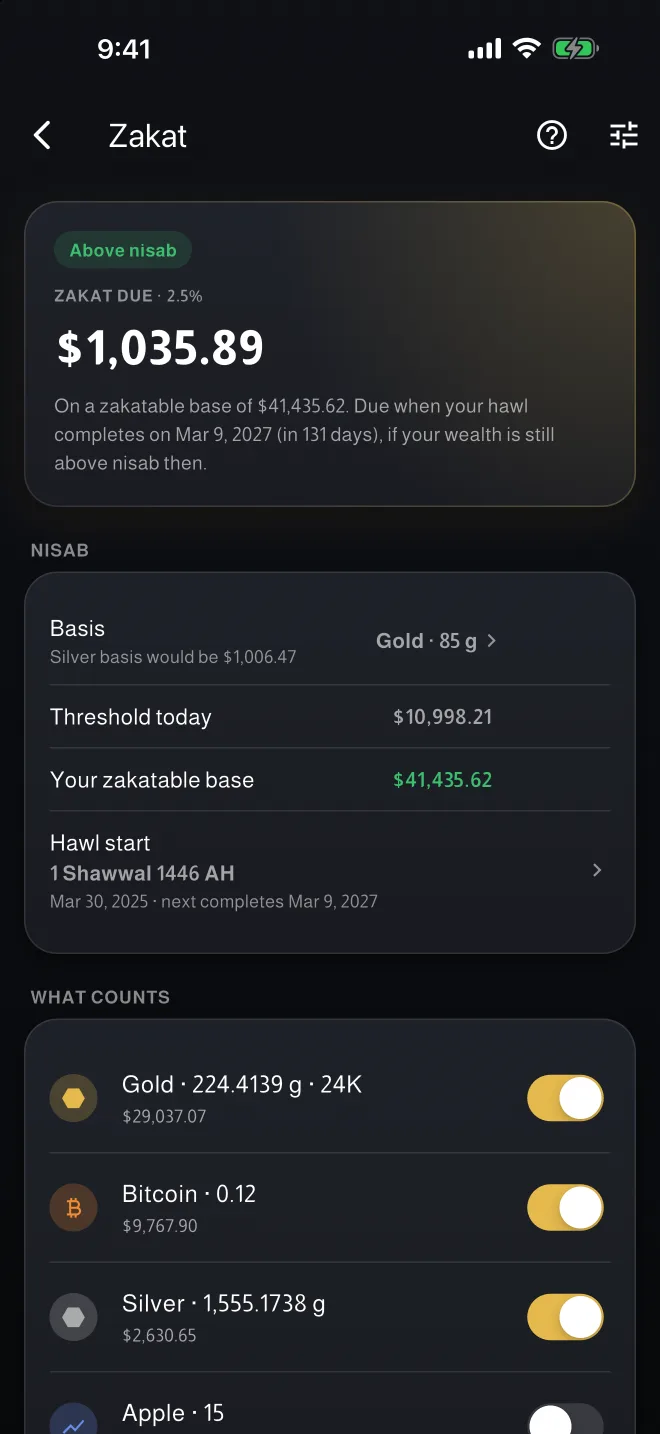
Everything else you own, in the same total
- Crypto, stocks and currencies
- Bitcoin and Ethereum, major stocks and indices and world currencies, converted into the currency you choose.
- Custom tickers
- Add any stock or ETF that isn't built in. Qima checks the symbol with the price source first.
- Allocation
- Your portfolio split by asset class, and your gold split by karat.
- Price alerts
- When a price goes above or below a level, or moves by a percent in 24 hours or 7 days.
- Charts
- From one day to all time.
- Languages
- English, Arabic, Spanish and French, with full right-to-left Arabic.
No account. Your data stays on your devices.
There is no Qima server holding your portfolio. This is where everything lives.
| Holdings and transactions | On your device. With iCloud sync turned on, also in your own iCloud account. |
|---|---|
| Account | None. No sign-up, no login, no email. |
| Analytics and ads | None. No analytics, advertising or tracking SDKs in the app. |
| Price requests | Sent to public market-data providers. They ask for prices only and never include your holdings. |
| Backups | A file you keep where you choose, protected with a password if you want (AES-256). Holdings also export to CSV. |
| App lock | Face ID, Touch ID, fingerprint or passcode, and an option to hide balances. |
On your Mac and PC too
The same app on the desktop: the same total, the same privacy, free.
| Mac | From the Mac App Store, under the same listing as iPhone. Open in the Mac App Store |
|---|---|
| Windows | An installer for 64-bit Windows. It isn't code-signed yet, so SmartScreen may warn the first time: choose More info, then Run anyway. Download the Windows installer |
| Linux | A tar.gz for 64-bit (x86-64) Linux with GTK 3, extracted into your home folder. Installation guide Download for Linux |
| Android APK | For Android devices without Google Play. It doesn't update itself; get each new version from the same page. Download the APK |
Windows, Linux and the APK come from Qima's latest GitHub release. Look for the files ending in -windows-setup.exe, -linux-x64.tar.gz and .apk; each has a SHA-256 checksum beside it.
Qima is free on iPhone, Android, Mac, Windows and Linux.